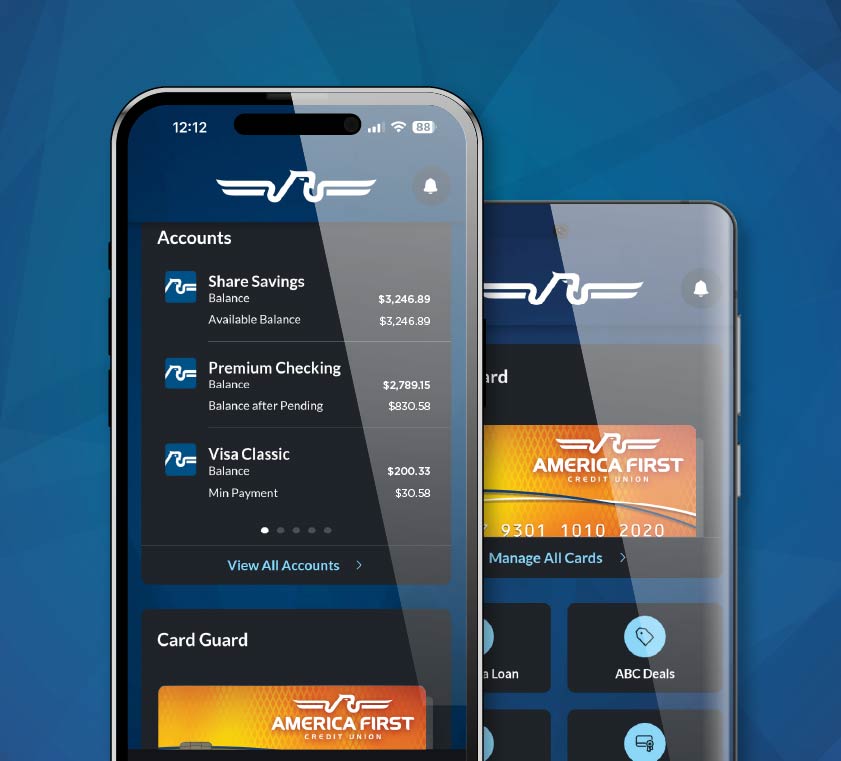
The America First Credit Union mobile app is a free iOS and Android application that gives AFCU members anytime access to all accounts — checking, savings, certificates, loans, and Visa cards. The app pairs biometric sign-in with mobile check deposit, Zelle, Card Guard freeze controls, Insights spending analytics, and the same Money Manager budgeting tools available in online banking. One set of credentials works across the app, secure.americafirst.com, Quicken, and QuickBooks.
How to download and enroll
The AFCU mobile banking app is free in the Apple App Store and on Google Play. Search "America First Credit Union" and verify the publisher is America First Credit Union before installing. After installation, members who already use online banking sign in with the existing User ID and password. First-time users tap "Enroll in Online/Mobile Banking" on the sign-in screen, enter their account number and date of birth, choose a User ID, set an 8 to 32 character password with at least one letter and one numeral, and configure multi-factor authentication. The single credential then opens every AFCU digital surface — app, web portal, Quicken, and QuickBooks.
Step-by-step first-time setup
- Install from official storeDownload from the Apple App Store or Google Play; confirm the publisher line reads "America First Credit Union" before installing.
- Open the app and tap EnrollChoose "Enroll in Online/Mobile Banking" if you are a new digital user; existing online banking users sign in directly.
- Verify identityEnter your member account number, Social Security number, and date of birth so AFCU can locate your member record.
- Pick User ID and passwordUser ID is 6 to 32 characters; password is 8 to 32 characters with at least one letter and one numeral. These work across all AFCU digital channels.
- Enable biometric sign-inInside Settings then Security toggle Face ID, Touch ID, or fingerprint to skip typing the password on subsequent sign-ins.
- Customise the dashboardDrag and drop tiles so the accounts and features you use most appear at the top of your dashboard.
What you can do inside the AFCU app
The dashboard shows balances and recent activity across every AFCU account, plus any external accounts members have linked through Money Manager. From the dashboard members can move funds between AFCU accounts, send money via Zelle to anyone with a U.S. bank account, schedule recurring transfers, deposit checks remotely, open new certificates (CDs), apply for auto loans or Visa card limit increases, view e-statements and tax documents, pay credit-card bills, set travel notices, and manage Card Guard preferences. Apple Pay, Google Pay, Samsung Pay, Fitbit Pay, and Garmin Pay all accept AFCU Visa debit and credit cards for tap-to-pay purchases.